
Cancel an Order or Change the Address
Change the customer’s details
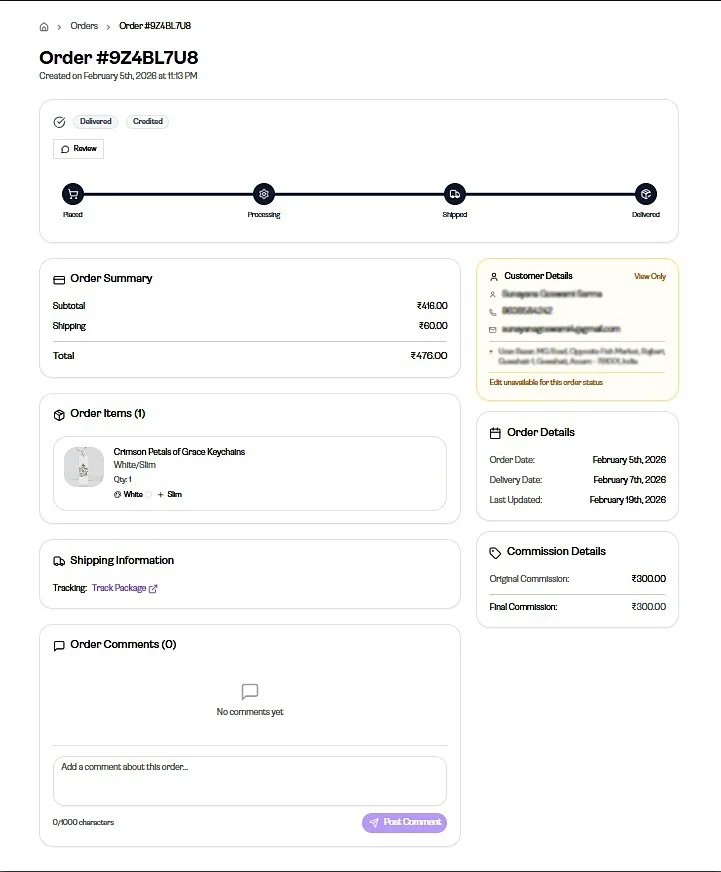
Section titled “Change the customer’s details”Open the order and click the field you want to change — name, phone number, email or address.
Open it directly: Orders
Important: You can edit these only until the order moves to Processing. Once printing has started, the details are locked.
After the order is processing
Section titled “After the order is processing”The order has already gone to print, so in general nothing can be changed at this stage.
In an exceptional case, contact our support team — we may be able to help.
Once the order is shipped, the delivery address cannot be changed at all. Keep this in mind before a customer asks.
Cancel an order
Section titled “Cancel an order”You can cancel a Cash on Delivery order yourself while it is still unpaid, from the order page.
Prepaid orders are cancelled by our team. Ask the customer to write to care@gogopogo.app.
What the customer gets back
Section titled “What the customer gets back”- Cancelled before processing: the customer gets a full refund.
- Cancelled after processing has started: the order is already being printed, so the customer is not eligible for a refund.
Comments for the GogoPogo team
Section titled “Comments for the GogoPogo team”If you want to add a note meant for our team, add it before the order moves to Processing. After that it will not reach them in time.