
Cash on Delivery: Turn It On and How You Get Paid
Turning Cash on Delivery on
Section titled “Turning Cash on Delivery on”Cash on Delivery (COD) is off by default, and it cannot be switched on from Settings.
Write to our support team and we will enable it for your shop.
Raise a ticket here: Support
What customers see
Section titled “What customers see”Once it is on, customers can choose Cash on Delivery at checkout instead of paying online.
You can also:
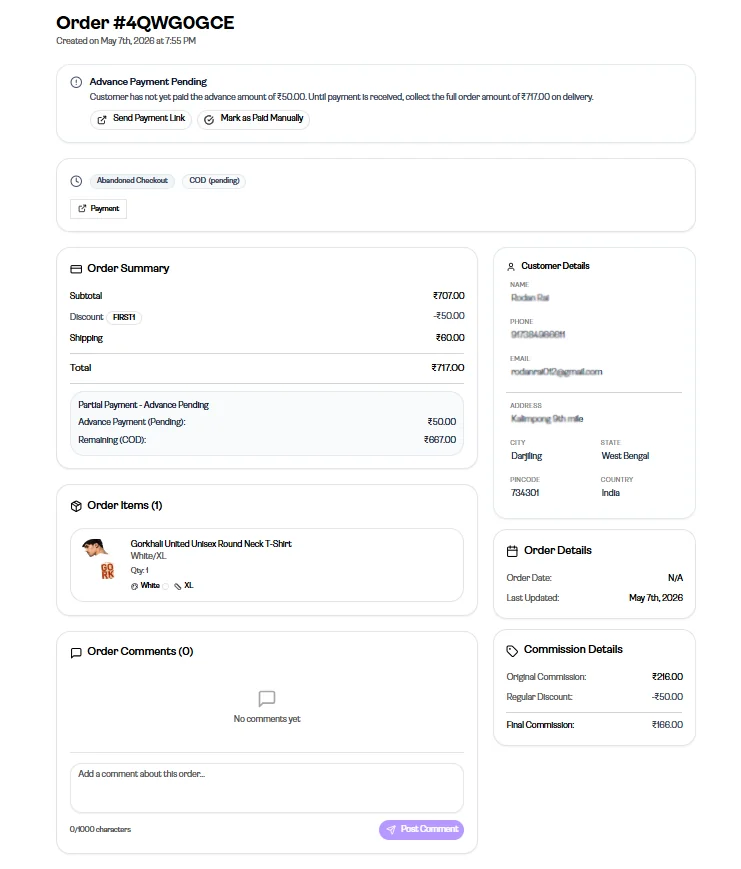
- Convert an abandoned checkout to a COD order
- Create a manual order as COD when a customer orders over WhatsApp
The wallet balance you need
Section titled “The wallet balance you need”Important: When a COD order moves ahead, the cost of printing and shipping is taken from your wallet. If the wallet does not have enough balance, the order will not move. Keep it topped up from the Recharge page.
How the money comes back
Section titled “How the money comes back”After the parcel is delivered and the customer pays, the full amount the customer paid — including the printing and shipping cost taken earlier — is credited back to your wallet.
This happens 2 days after delivery.
Partial payment
Section titled “Partial payment”Once COD is enabled for your shop, you can also turn on partial payment from Settings. The customer then pays part of the amount online and the rest on delivery.
If the customer refuses the parcel
Section titled “If the customer refuses the parcel”The courier brings the parcel back to the factory. Once it is received, the product goes into your return stock and you can use it on a new order.
Important: The product is now yours, so the money already spent on printing and shipping is not returned to your wallet.
Global orders
Section titled “Global orders”Cash on Delivery is not available on Global (international) orders.